DocsPlus Menu
Integrated DocReader for accessible worksheets and exams
Many students struggle to read worksheets, which impacts on their ability to access the curriculum, develop their understanding of a topic and complete related lesson tasks.
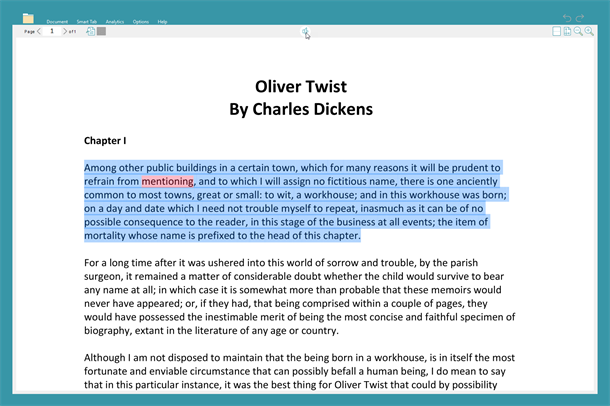
DocsPlus has an integrated 'DocReader' that will read aloud any PDF or Word document, providing equal access to worksheets, exam papers and more.
DocsPlus has an integrated 'DocReader' that will read aloud any PDF or Word document, providing equal access to worksheets, exam papers and more.
Text-to-speech, screen tiling, and editable PDFs
Simply select the text that you want to hear and click 'Speak' – the words will be read aloud in a clear, British English voice, and each word will be highlighted as it is spoken.
DocsPlus also includes an innovative screen tiling feature that enables students to pin worksheets to the bottom of their screen so that they can listen back to the questions as they write, rather than toggling between two documents.
(Top tip – convert curriculum PowerPoints into PDF documents to make these accessible for your struggling readers too!)
If you are working with editable PDFs, DocsPlus can also be used to write into these – you can find out more about this on our Provide access to exams page.
DocsPlus also includes an innovative screen tiling feature that enables students to pin worksheets to the bottom of their screen so that they can listen back to the questions as they write, rather than toggling between two documents.
(Top tip – convert curriculum PowerPoints into PDF documents to make these accessible for your struggling readers too!)
If you are working with editable PDFs, DocsPlus can also be used to write into these – you can find out more about this on our Provide access to exams page.