Using Clicker to support learners with dyslexia
Table of contents
Clicker is one of the most widely used reading and writing support tools for children with dyslexia or dyslexic tendencies.
There are lots of different tools within Clicker that address the specific challenges that children with dyslexia can face. In this blog, we’ll be exploring some of those tools in more detail and sharing how they are empowering dyslexic learners across the UK.
Resources to support phonological awareness
Phonological awareness is a common challenge for learners with dyslexia. This means that they find it hard to recognise and manipulate the sounds in words. Having trouble in this area can make spelling difficult, as children often use the similarities and differences they notice in word sounds as the basis for their spelling attempts.
There are a number of resources on LearningGrids that are specifically designed to help learners build up this skill.
The Alliteration section in the LearningGrids Sounds and Letters category has some great resources to help learners pick up on initial letter sounds.
For example, learners can use the Alliteration Sentences Connect Set to build alliterative sentences. Each tab in the set focuses on a different letter sound and learners click the cells to form the sentences.
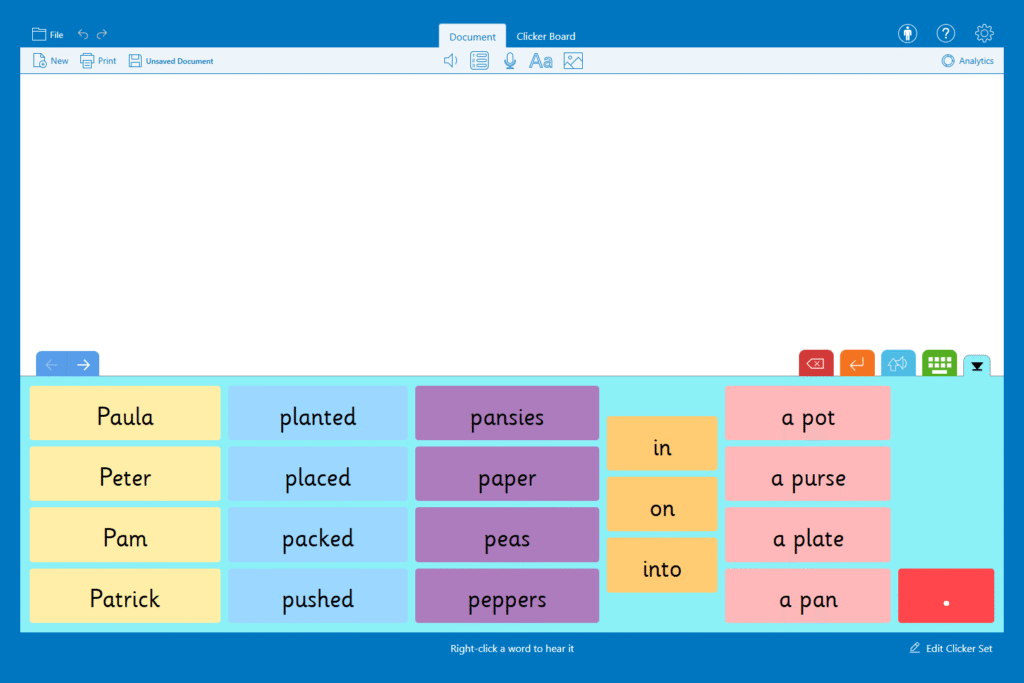
You can also use resources in the Rhymes section to work on word endings. The Rhyming Sentences Connect Set is similar to the Alliteration version. However, there is an extra layer of challenge as pupils have to choose the words that rhyme from a selection.
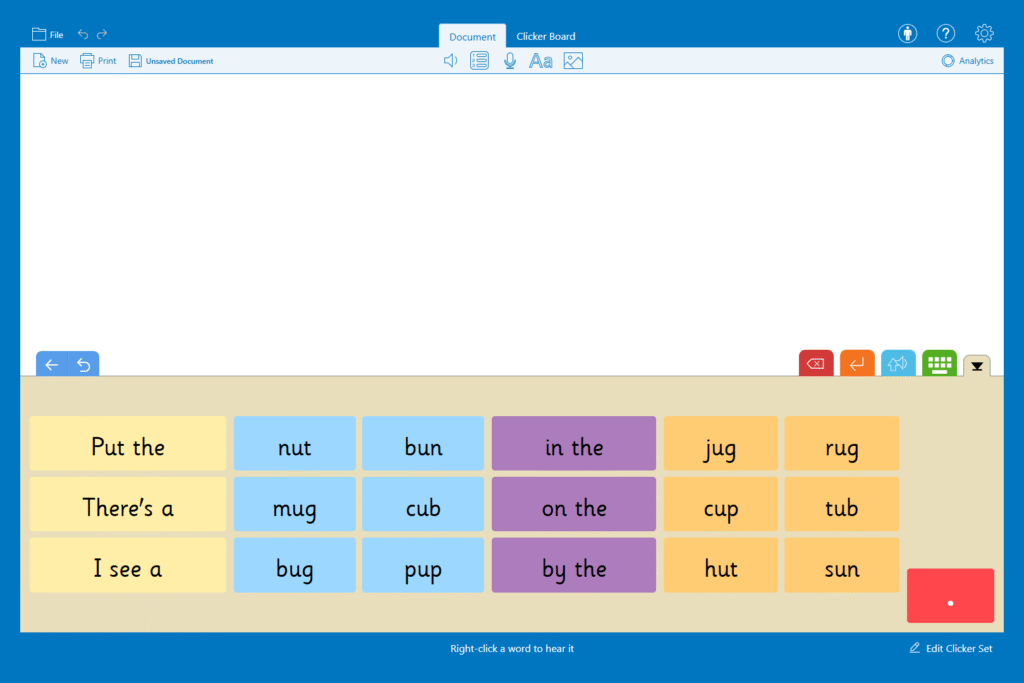
When using any writing grid, learners can right-click a cell to have the word read aloud to them in a clear realistic child’s voice. This means learners have the extra support of being reminded what the word sounds like when they need it.
“By using a LearningGrids resource, our pupil was able to demonstrate that she was more knowledgeable about the topic than her peers! If she had been assessed through written outcomes or worksheets alone, then she would not have achieved the same success.” - Margaret O'Connell, Mclean Primary School.
Tools to manage spelling struggles
Spelling can be a challenge for many pupils, especially in a language like English where the words often don’t sound the way they are spelled.
Clicker has several tools to ensure that spelling difficulties don’t stop pupils from writing.
Firstly, users benefit from the Spell Check which instantly alerts them to a misspelt word with a red underline. Users can then select their desired word from a drop-down menu and listen to each option to be sure they have made the correct selection.
The Predictor is another great option for struggling spellers. As pupils type it offers context-appropriate and grammatically correct suggestions for the next word. The suggestions help keep writing momentum going as learners don’t have to stop and think about how to spell the word they’re thinking of.
“The Predictor is really useful for the children who struggle with their spelling and have dyslexic tendencies. Their reading is usually at a much higher level than their spelling, and with Clicker they can see the word they want to use and select it, rather than misspelling it. It means they can focus on what they want to write instead of having to spend time thinking about each word individually.” - Emma Gorton, SENDCo, Micklehurst All Saints Primary School
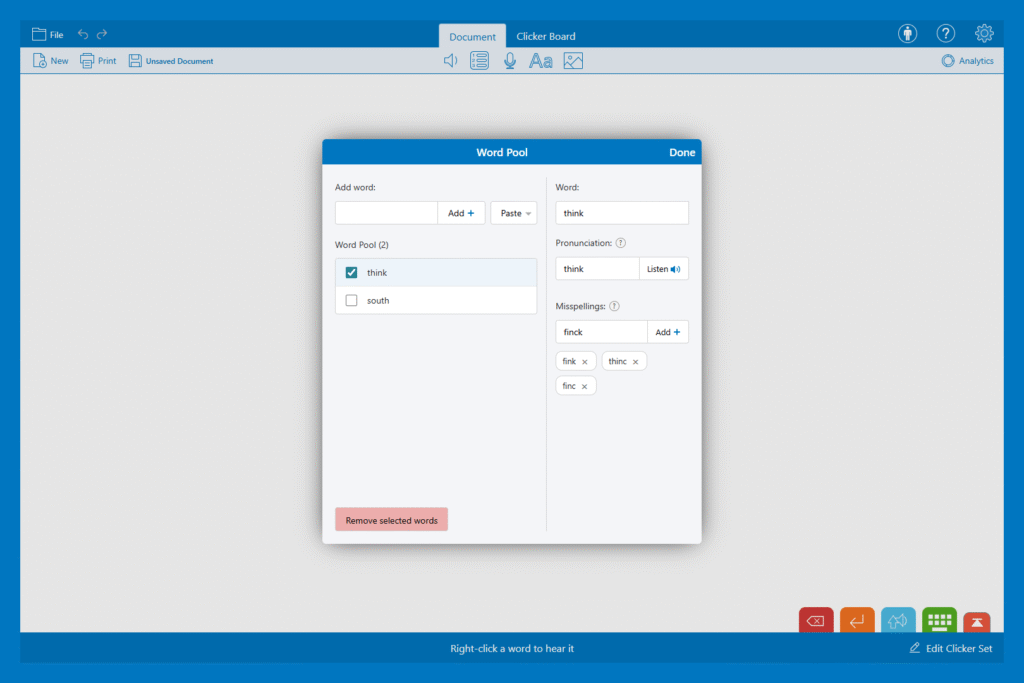
You can customise both of these tools to better support your learners with the help of the Word Pool. Clicker’s spelling tools are designed to recognise phonetic spelling attempts such as ‘alefent’ for elephant. But if your learner has any particular misspellings that are not being picked up, you can add them to the Word Pool. Once added, the Predictor and Spell Check will offer the correct word.
Picture support to make connections
“Adding pictures to support her writing was particularly effective. She started making connections between words and images, which helped with spelling and vocabulary development.” - Staff member in an Aberdeenshire school supporting a pupil with dyslexia
The Picturize function is available throughout Clicker. Learners can choose to have images added to each word as they type. They can also have images appear next to the suggestions in the Spell Check and Predictor for extra confirmation that they have chosen the word they were looking for. Pictures can also be added to writing grid cells, helping learners access and select vocabulary more independently.
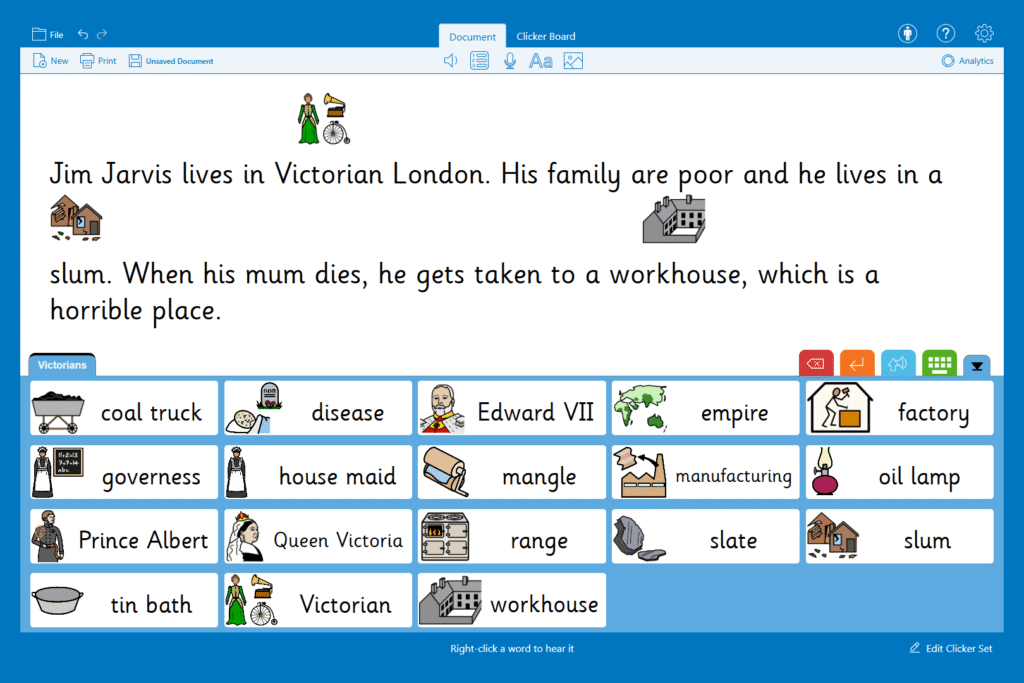
You can choose from images from the CrickPix library, a library of over 10,000 Widgit Symbols. You can also create and use your own images / photos.
Planning that doesn’t rely on spelling and writing
Planning is an important stage for longer pieces of writing. But making written plans or extended notes can be more overwhelming than helpful for learners with dyslexia. Many learners find planning much easier with the help of Clicker Board, a built-in visual planning tool.
This tool is especially helpful for learners with dyslexia, who often lean towards visual thinking and learning. With a Clicker Board, learners can organise their thoughts in a layout that makes sense to them.
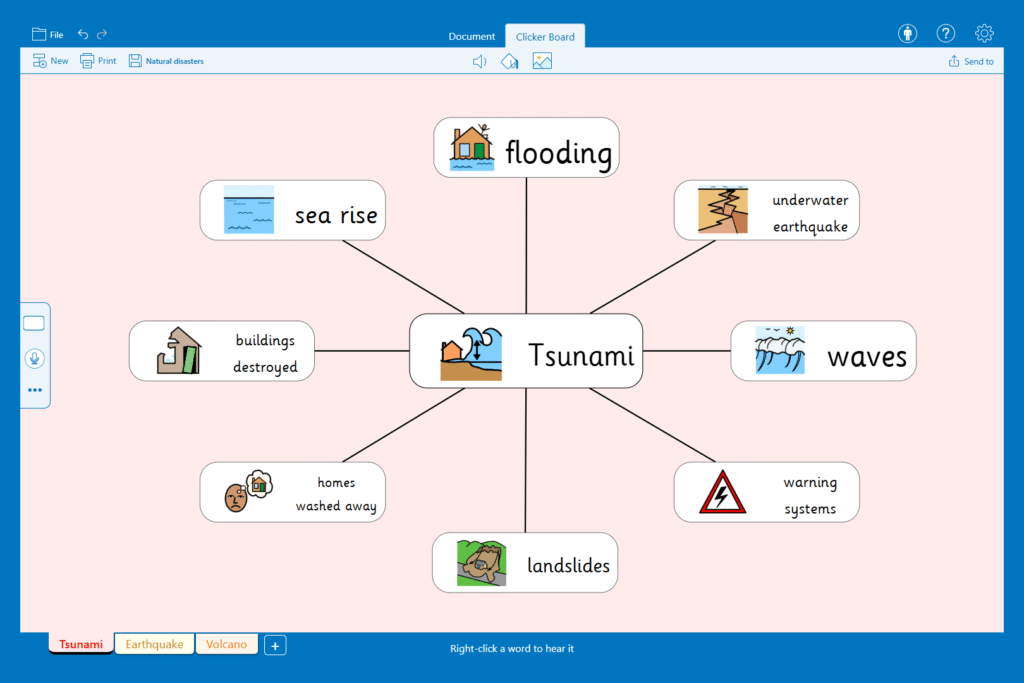
Learners can create custom Clicker Boards from scratch or use topic-relevant templates from LearningGrids. All of Clicker’s writing support tools are still available when working with a Clicker Board, including the Spell Check, Predictor, and speech feedback. This takes away writing pressure and gives learners space to think about their ideas.
“Before using Clicker, children would attempt to make plans on paper, and sometimes their writing would be illegible, or they would lose track of their ideas as they couldn’t make sense of what they had written. However, with Clicker, the children now enjoy planning their work on mind maps using Clicker Board.” - Jacqui Rodger, Forehill Primary School
Learners can also plan using Voice Notes. They can be added to a Clicker Board as part of a wider planning process or used in a Document to rehearse and plan sentences before they write them. In both cases, Voice Notes give learners the opportunity to capture ideas without worrying about spelling.
These tools are just some of the ways that Clicker can support pupils with dyslexia. To learn more, take a look at the helpful articles and real-life examples here:
