Clicker and guided reading
Table of contents
Before joining Crick, I was a primary school teacher for 8 years. If there's one thing I learned, it’s that no two schools approach guided reading in quite the same way.
I’ve delivered 20-minute daily sessions, squeezed in group work during assembly time, and taught hour-long weekly lessons. Then I’d move year groups and find everything had changed again. Sometimes reading was part of phonics, sometimes embedded in English, and other times taught as a discrete lesson.
Now, when I'm planning training at Crick, I often come across resources and ideas that I know would have been invaluable in those guided reading sessions. So, I thought I’d share some of them with you. I'll also share some practical ways that Clicker can support guided reading across different year groups, topics and learner needs.
Listening to and discussing a wide range of texts

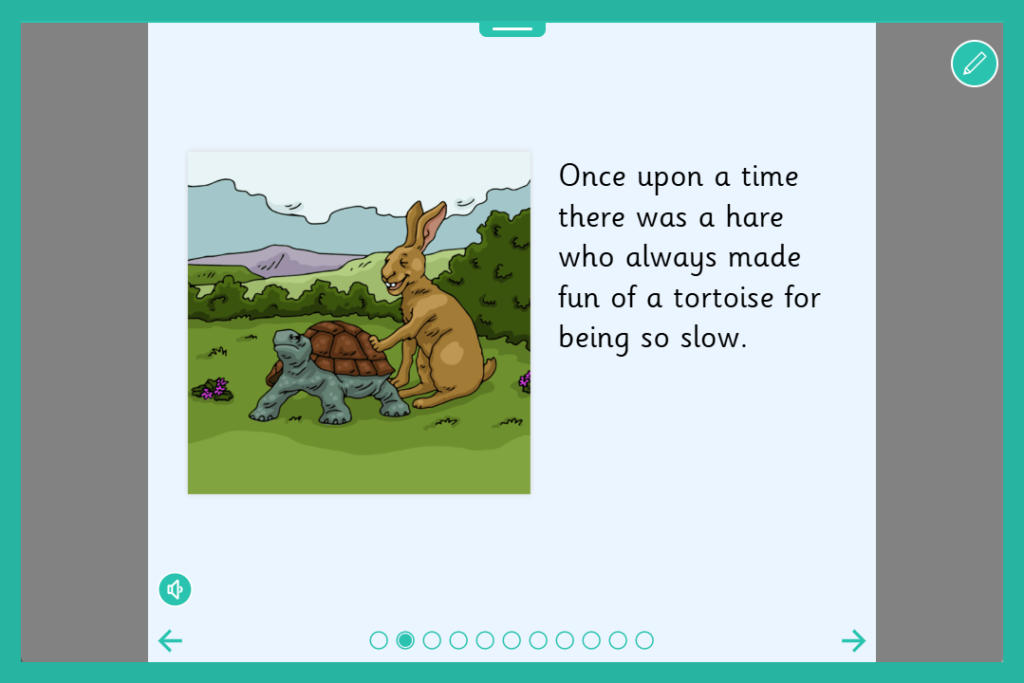
LearningGrids, our bank of ready-made resources, includes nearly 800 Clicker Books. With fiction and non-fiction texts spanning different curriculum areas, these speech-supported books help pupils access material beyond their independent reading level.
You could use these books as a whole class teaching tool. Start by introducing and sharing the book on your interactive whiteboard, reading the text all together. Pupils can then revisit the book independently. They can either read it themselves or use the built-in speech support to listen along, reinforcing understanding and building confidence.
Our books are available at a range of levels, making them a useful tool for adaptive teaching.
- Read a Book: These books offer a large section of text on each page
- Read in Steps: These books offer several separated sentences per page, each with its own speaker button
- Read It Yourself: These books offer one or two sentences per page
These different book types enable pupils to access the same content as their peers, but at their reading level.
Clicker Books are a great way to familiarise pupils with traditional tales and myths and legends. You can explore the Story Corner section of LearningGrids to discover the range of stories we have available.
You can adapt all our resources to meet different reading levels or to link with the topic you are covering. For more information on how to edit or create your own Clicker Book, see our tutorial videos.
Sequencing and retelling
Once you’ve introduced a text, the next step might be to encourage pupils to sequence the story and retell it in their own words, thinking carefully about key features, characteristics and vocabulary.
Retelling a whole story can be quite a challenge, especially if pupils have only heard it once or twice. Having the right level of support in place can make a real difference.
Tell the Story Talk Sets support pupils with picture prompts to help them recall the key events. They can then record themselves retelling each part, breaking the story down into manageable chunks.

This not only gives the pupil a safe and supportive space to practise retelling but also provides a useful way to capture evidence of their understanding. The recordings can even be revisited later as a scaffold when pupils move on to their own written work.
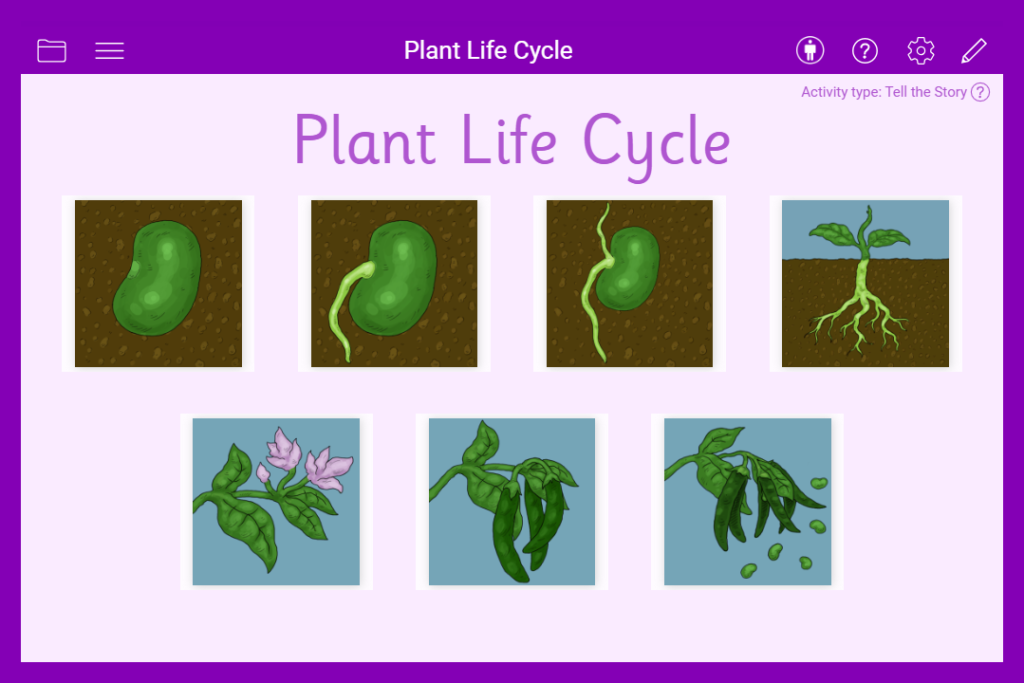
Tell the Story Talk Sets aren’t limited to storytelling either. They can be used to support any sequence of events, such as instructions for baking a cake or explaining the life cycle of a plant.
Clicker Boards are a great resource for supporting pupils with sequencing events. The Story Steps resources, for example, work in a similar way to a story mountain activity. Pupils are given the beginning and ending and then complete the remaining sections with pictures or text to highlight the key events and summarise the story.
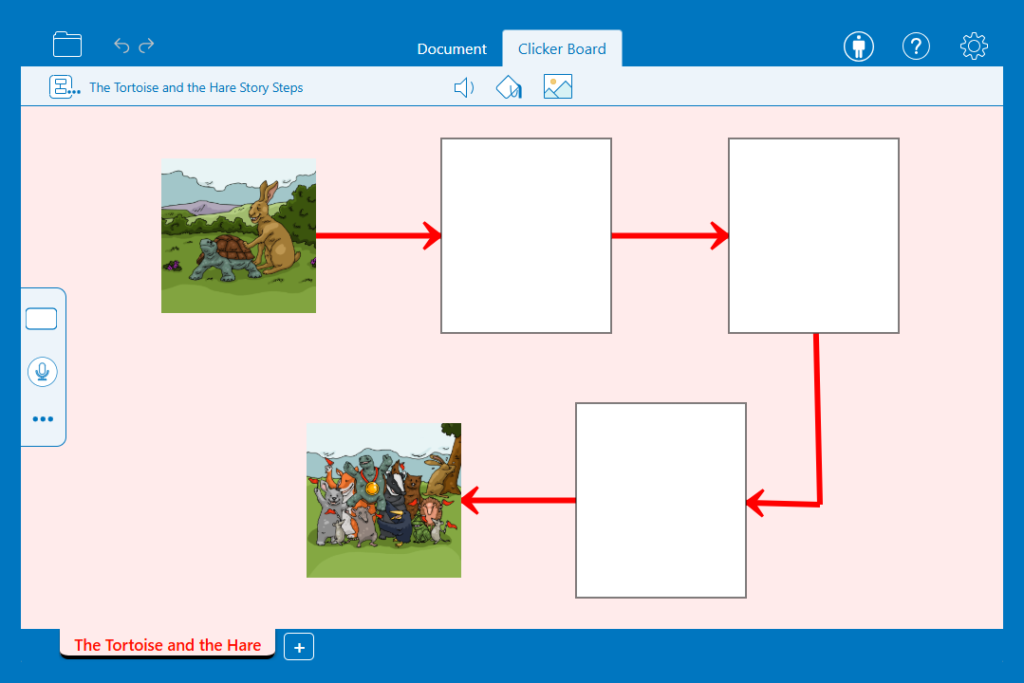
You can also print these resources, making it easy to provide pupils with a physical copy to draw on or annotate with key vocabulary. It’s a ready-made template that can slot straight into your lesson, saving valuable preparation time while still offering meaningful learning opportunities.
In some Clicker Boards, pupils are given the key events from the story and are challenged to organise them into the correct order. This simple activity is a great way to check understanding of sequencing and narrative structure.
Voice Notes can also be added to a Clicker Board, giving pupils the opportunity to expand on their ideas or record full sentences alongside their sequencing work.
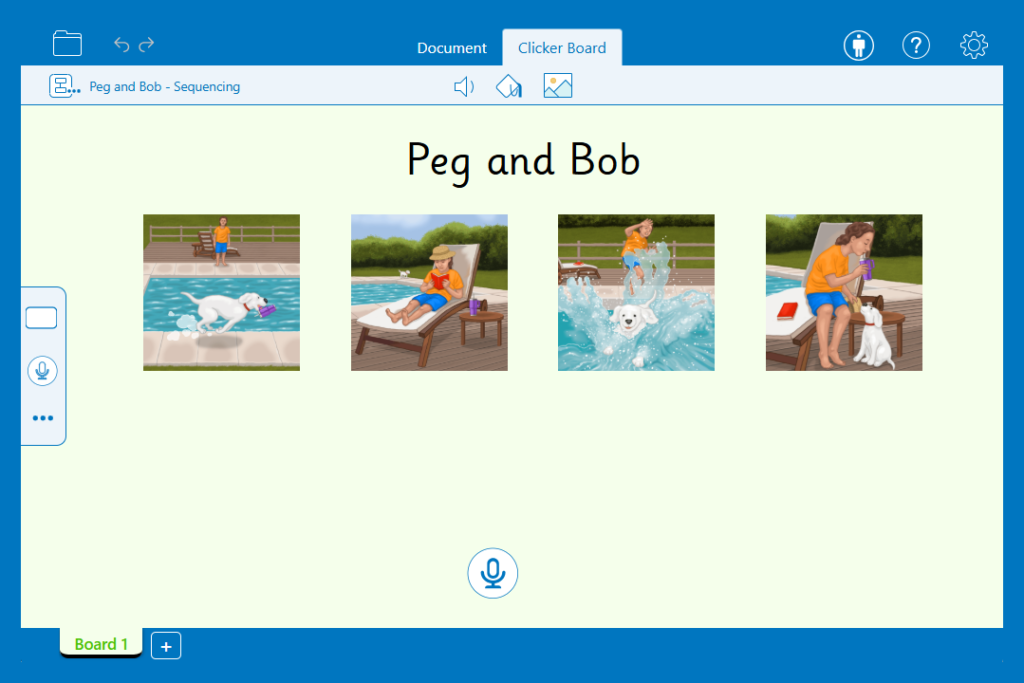
These activities work well as a whole-class task too! You could invite pupils to the front of the classroom to rearrange images on the interactive whiteboard, encouraging discussion and collaborative thinking as they justify their choices.
Rhymes and poems
When studying poetry, it can sometimes become a little repetitive asking pupils to recite the same poem over and over again until they know it by heart.
To make this more interactive, you could use a Listen and Say Talk Set. For example, in the Twinkle, Twinkle Little Star resource, pupils select the image to hear the poem and can then record themselves reciting it. They can listen back to the poem as many times as needed and re-record until they are happy with it.
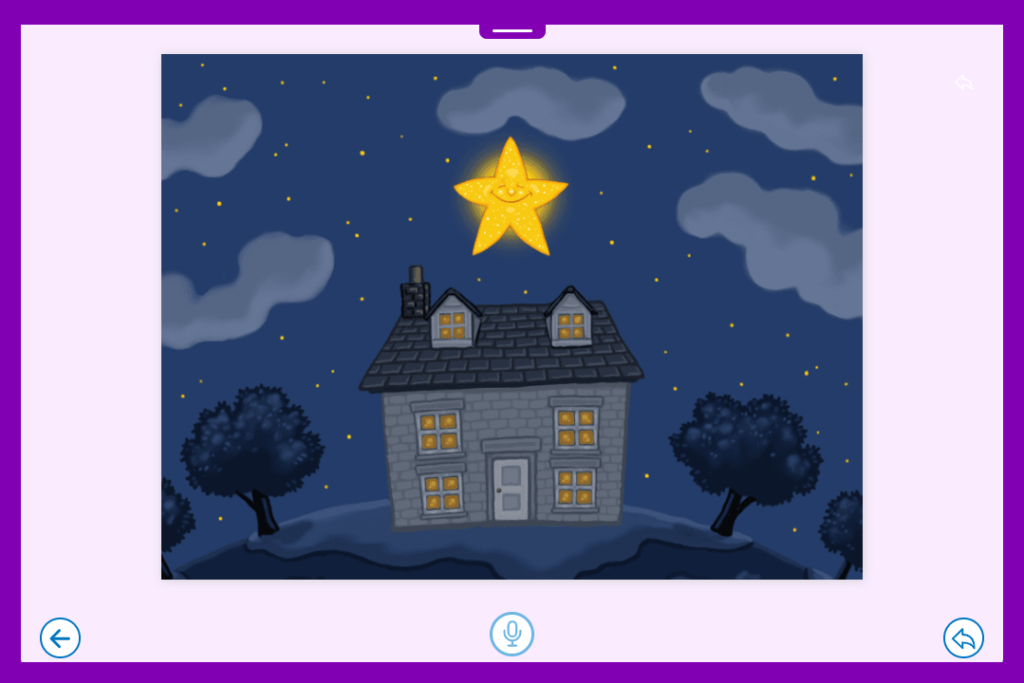
For Early Years classrooms, this works particularly well as part of continuous provision, allowing pupils to listen independently as many times as they need to before recording their own version. You can easily create your own Talk Sets, tailoring them to the specific poem or rhyme you are focusing on.
A Clicker Board can support a pupil’s recognition of recurring language in stories and poetry. For instance, in a sequencing board, pupils can match each line of the poem to the corresponding image. Once they’ve ordered the poem correctly, they can add Voice Notes to practise and record their recitation. This helps to reinforce both memory and fluency.

Word meanings
Let’s imagine you’ve read a text, maybe using a Clicker Book, and you’ve spent time picking out the key vocabulary.
The next step might be for pupils to define those words to deepen their understanding in a traditional 'dictionary lesson'… one I used to dread! Pupils would spend ages locating a word, only to then copy out a definition without really processing what it meant.
Those definitions might end up written in books or displayed on a Working Wall - never to be revisited during the rest of the sequence of lessons.
This is where Connect Sets and Word Banks really come into their own. These writing grids provide the scaffolding pupils need to engage more meaningfully with vocabulary.
For example, in this Charlotte’s Web Definitions Connect Set, pupils can select a word from one grid and then match it to the definition.

In the following grid, pupils are prompted to use that word in a sentence, helping to secure their understanding by applying it in context. The grid contains all the key words and phrases needed, reducing cognitive overload and supporting success.

Word Banks are another useful tool, with the relevant vocabulary organised across tabs. Pupils can write their own definitions, drawing on the Word Bank to support spelling and word choice as needed. These can be used across both fiction and non-fiction texts, making them a flexible addition to your guided reading toolkit.

Clicker Boards are a great way to keep these definition lessons interactive! Pupils could match the word to the definition and then use Voice Notes to record a sentence using that word. Bringing a more active, engaging approach to what can otherwise be quite a static task.
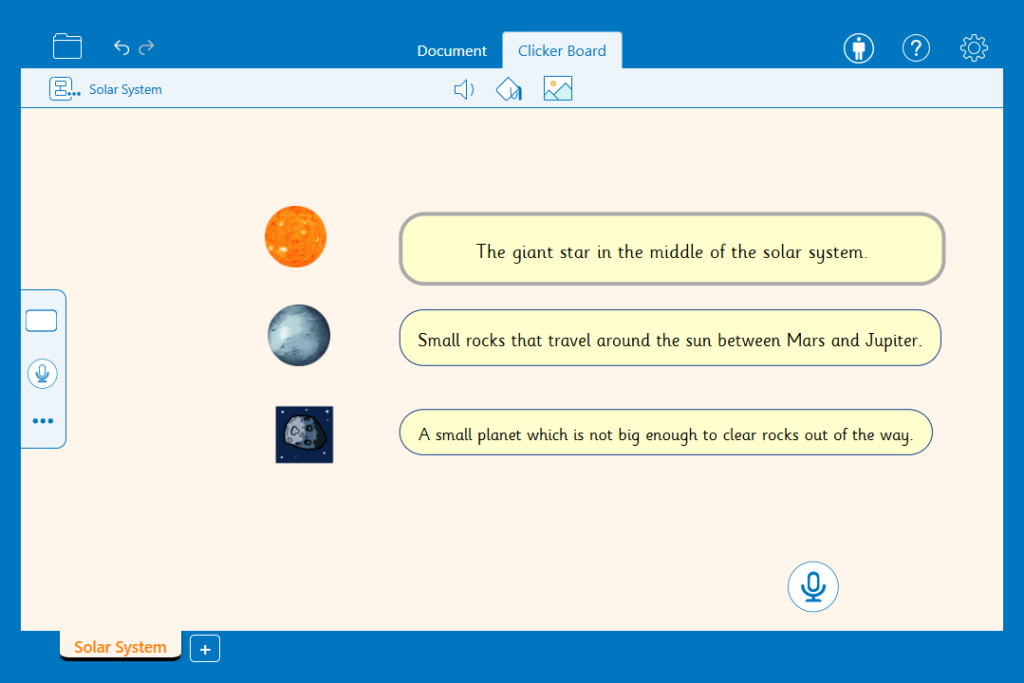
If you’d like to create or adapt these resources for your own texts, we have tutorial videos on our website.
Understanding the books they read
Clicker Boards can be a great way to explore what pupils already know, from their own experiences or from what they have read, and how this can help them understand the text. You could insert an image from the book and pupils could create a mind map of key vocabulary or ideas, linking them to their own experiences.
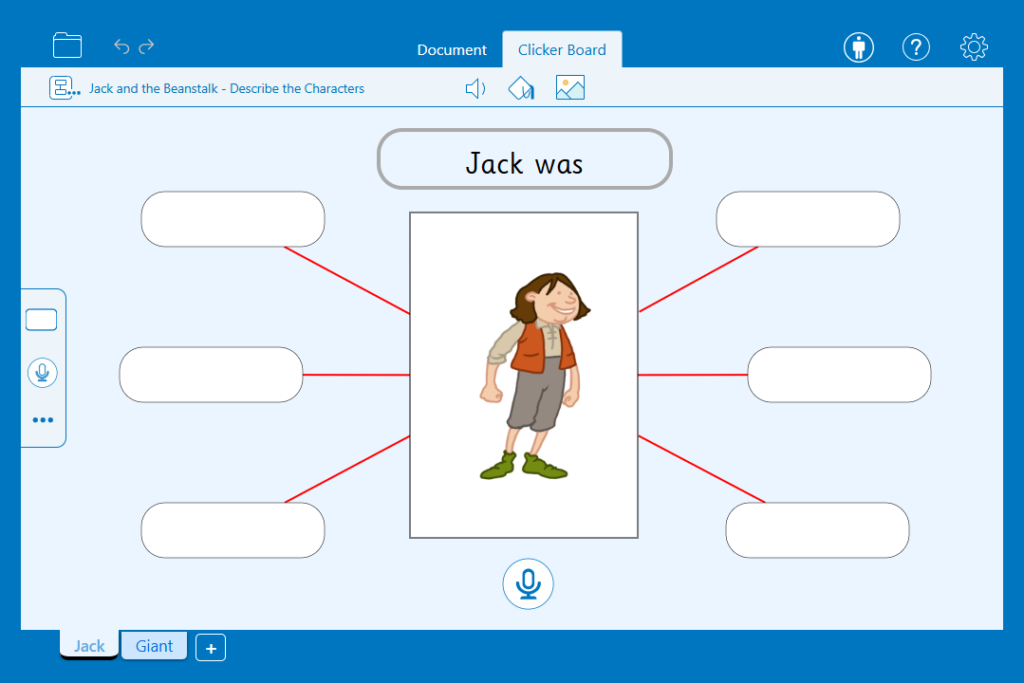
A similar approach could be used when making predictions or discussing the significance of the title and events. The Book Cover Detective Clicker Board includes useful prompts to get pupils thinking carefully about what the title might suggest and what could happen in the story. You can easily adapt this resource to suit your class, simplifying it where needed for younger learners.
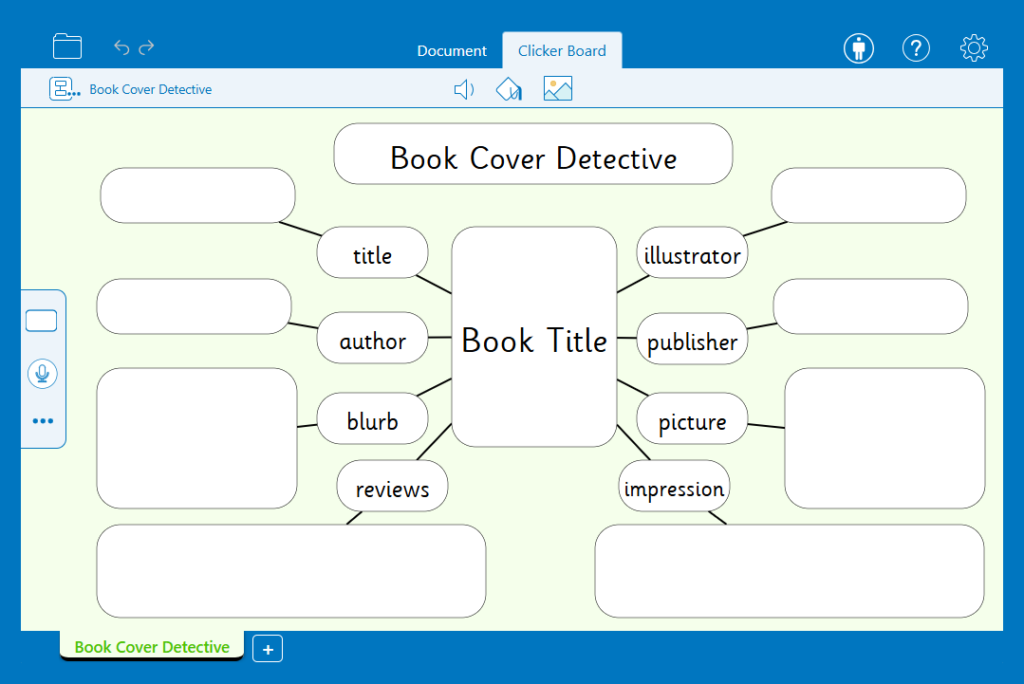
When developing inference skills, using what is being said and done, the Character- Outside and Inside Clicker Board provides a clear structure for exploring characterisation. Pupils can gather ideas about a character’s 'outside' (appearance, clothing, voice and behaviour) and 'inside' (likes, dislikes, personality and secrets), helping them to build and justify their inferences with evidence.

I remember doing this activity on flipchart paper, drawing a character outline and trying to capture ideas as quickly as possible! More often than not, I’d end up rewriting it all at the end of the day so it was clear enough for the Working Wall. With this resource, the template is ready to go, and pupils can contribute ideas either as a class or independently using the tabs. They can even add Voice Notes to explain how a character is feeling or to justify their interpretations. You could then print the completed board so learners have a copy in their books to refer back to in future writing.
I also really like the Before and After Clicker Boards. They prompt pupils to use what they already know about a text and what has already happened to predict what might happen next. It’s a simple but effective way to encourage discussion and support creative thinking, while keeping the focus firmly on evidence from the text.

Explain clearly their understanding
Many learners can talk confidently about what they’ve understood and explain what a text is about. The part they find tricky is getting those ideas down on paper, particularly when answering comprehension questions.
I remember that, for some year groups, simply writing the questions could take up a large chunk of the lesson. To save time, I’d provide numbered questions for pupils to stick into their books. Unfortunately, this often led to frustrating one-word responses!
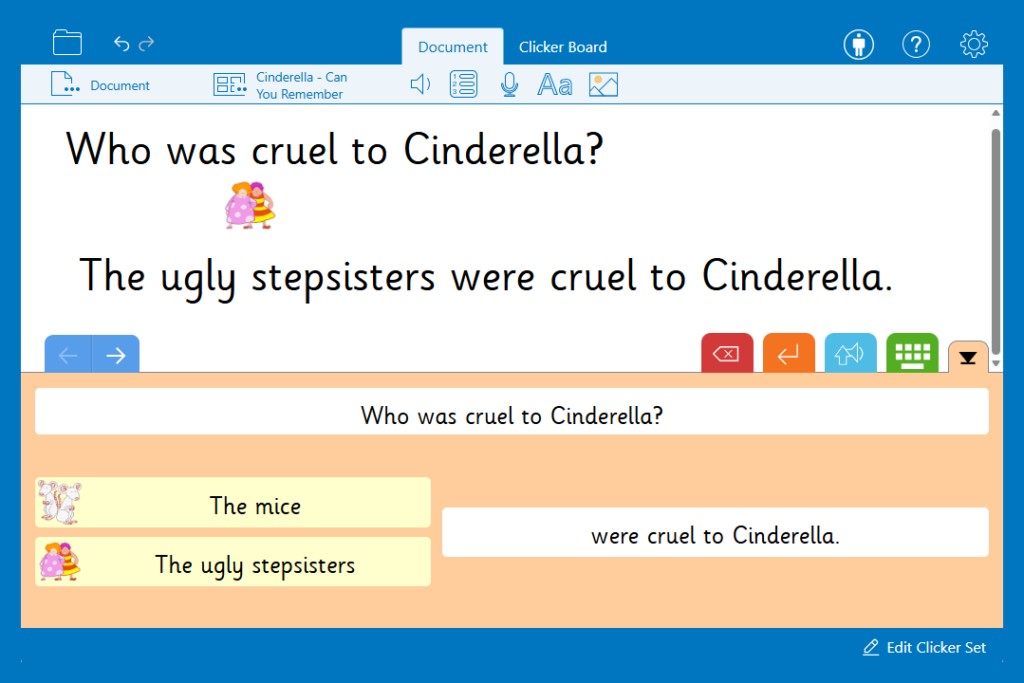
This is where Connect Sets are incredibly useful. These writing grids help pupils to structure their answers and encourage them to write in full sentences. Learners can enter the question and then complete the answer using the provided options. The grids include all of the words and phrases they need while still allowing for choice. This gives you a clear insight into how well they've understood the text.
Answering and asking questions
Pupils can often find it challenging to ask purposeful questions about a text. Without support, their questions can sometimes be quite simple and don’t always deepen their understanding.
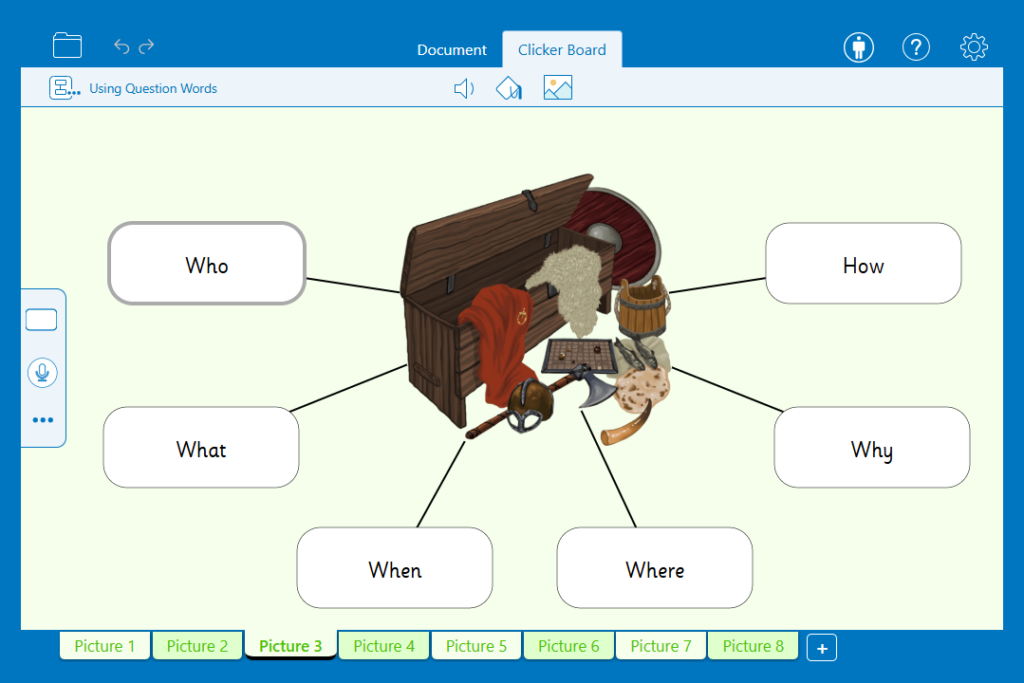
To support this, you could use the Using Question Words Clicker Board. This board prompts learners to generate a wider range of questions and explore different question types. Insert an image into the middle cell and then pupils can create and record questions about it, using a different question word each time to broaden their thinking.
A Talk About Talk Set also works brilliantly as a hot-seating activity. The picture provides a clear stimulus, giving pupils a starting point as they generate their questions.
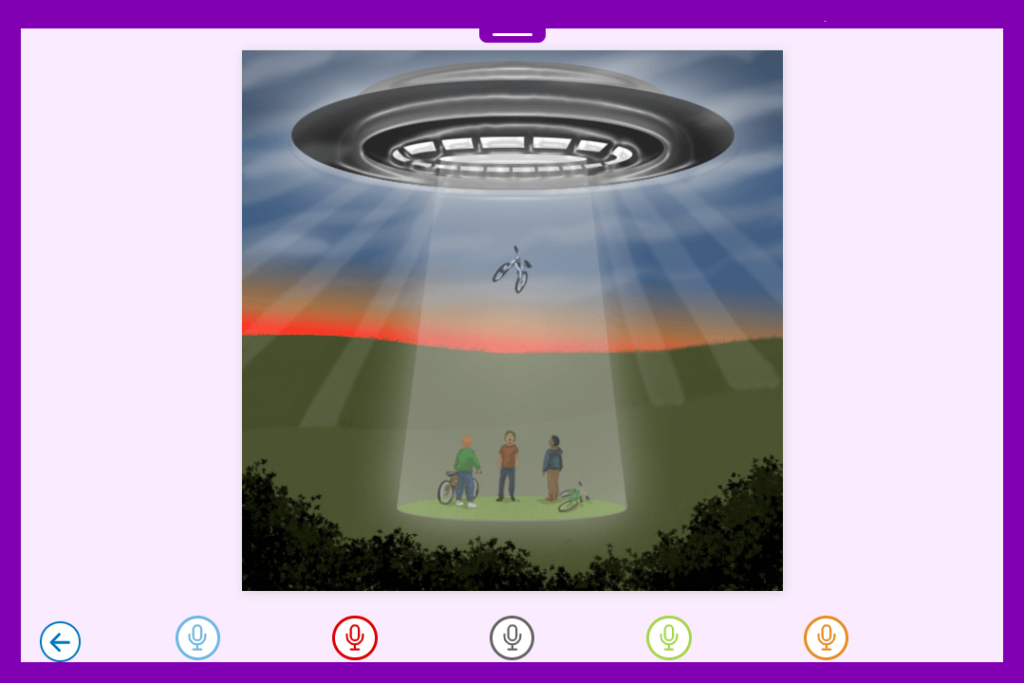
With the option to include up to six recordings, pupils could create a range of question types, including a who, what, where, when and why question. Alternatively, one pupil could record a question, with their partner responding by recording an answer, creating a more interactive and collaborative task.
If you’d like to adapt these resources, you can find step-by-step guidance in our tutorial videos.
Summarising
From my own experience, summarising is something many pupils find particularly challenging. Picking out the key events or the most important information from a text can be tricky.
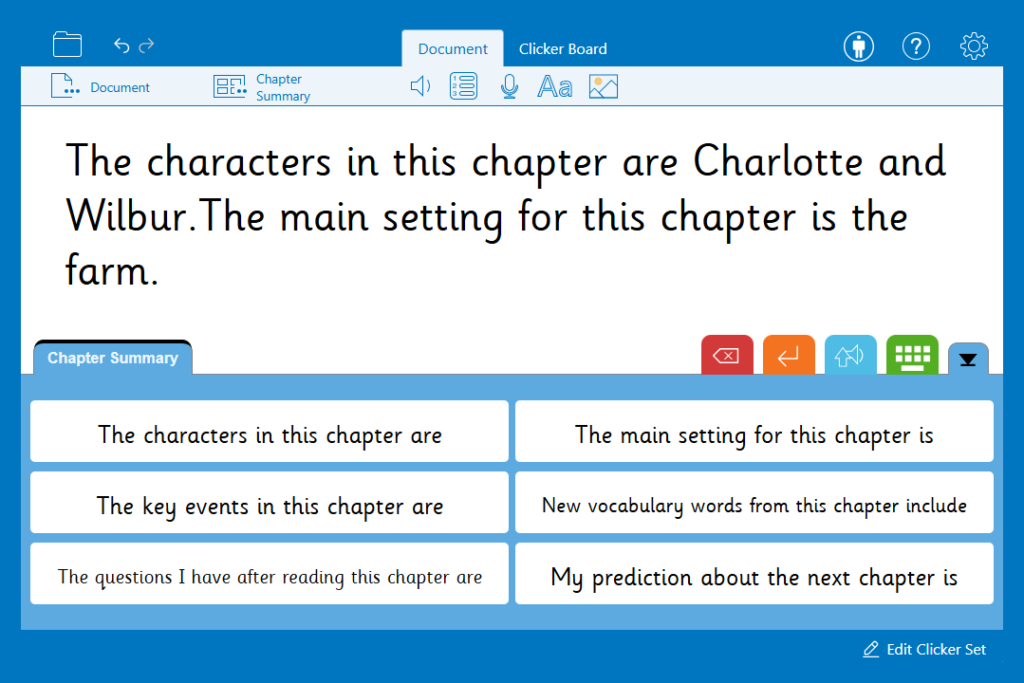
This Chapter Summary Word Bank is a helpful tool to support this skill. It provides a range of useful sentence starters within a single grid. The sentence starters guide pupils on what to include and how to structure their responses. As the prompts are intentionally generic, this resource can be applied to almost any text. So, it's a versatile addition to your guided reading lessons.
Book review
You’ve reached the end of the book! Now, it’s time to reflect on what you’ve read. This was always an area I found challenging in the classroom. I’d spend time creating a template to help pupils fill in all of the necessary information. But once it came time for them to complete the task they would only fill in the bare minimum. Because I’d tried to make it look engaging, presentation would often suffer too!
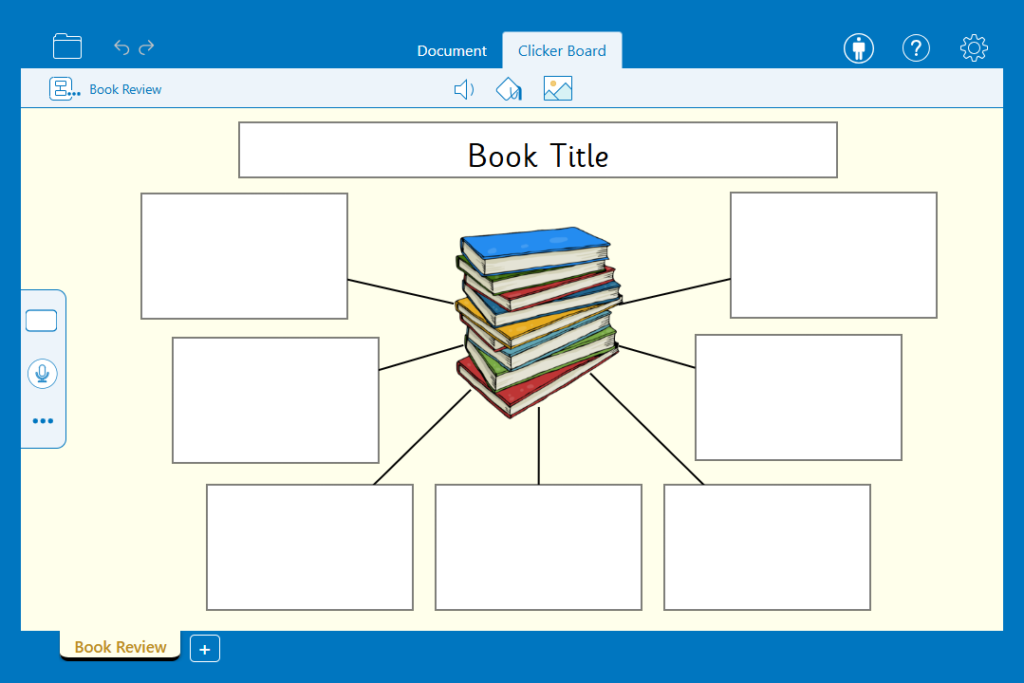
The Book Review Clicker Board offers a ready-made structure for pupils to organise their ideas. They can type in their reviews or use Voice Notes to give a verbal review. This makes it accessible for a range of learners. Before the lesson, you might choose to add your own Voice Notes with instructions or include prompts and key questions.
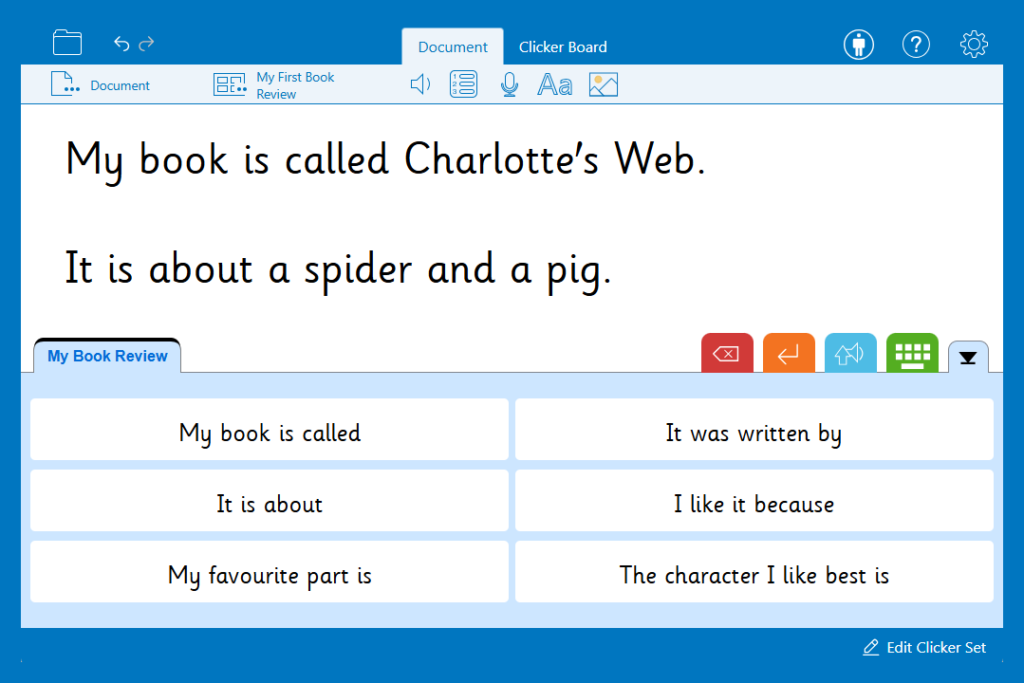
For a more structured approach, you could use one of our writing frames. These resources provide sentence starters to help learners include relevant detail and develop their ideas more fully.
My First Book Review is a lovely resource to help younger learners share their thoughts in a simple, accessible way.
For a more comprehensive writing frame, you could use the Book Review Frame. The tabbed Word Bank scaffolds paragraphs introducing the text, summarising the plot and characters, and encouraging pupils to share a personal response.

Rounding up
Guided reading can look very different from one classroom to the next. But whatever the structure, the goal remains the same. We want to help pupils engage deeply with texts and develop the skills they need to become confident, independent readers.
What I’ve always found is that it’s not the activity itself that makes the biggest difference, but the level of support and engagement we build around it. That’s where Clicker can really come into its own. Whether it’s providing scaffolds for vocabulary, supporting learners to sequence and retell, encouraging richer questioning, or helping them translate their understanding into writing, these tools make it easier to meet a wide range of needs within your classroom.
They also offer something just as important - variety. By mixing listening, speaking, reading, and writing activities, you can keep guided reading sessions purposeful and engaging. At the same time, you can reduce some of the workload that comes with creating resources from scratch.
Ultimately, Clicker isn’t about replacing what you already do well - it’s about enhancing it. Giving pupils the right level of support at the right time can help them to access texts more confidently, express their ideas more clearly, and develop a real enjoyment of reading. And if it saves you a bit of time along the way too, that’s always a bonus!
Want to know more about how Clicker can support guided reading lessons and reading in general? You might find these resources useful:
- Clicker and Phonics
- The science of reading and Clicker’s decodable books
- Early reading support with Clicker
For personalised advice on using Clicker with your learners, book a customer care meeting at any point during your subscription.
