What you learned: Printable Summary
Create and edit a Talk Set
This is a Printable Summary
What you learned: printable summary
Create a Talk Set
Create an activity to support children who struggle to express themselves in written form:
- Open the toolbar. Select
 and choose new Talk Set.
 - Give your activity a title.
- Pick which type of activity you want to create: Listen & Say, Talk About, or Tell the Story.
- Go to and choose where you’d like to search for pictures to add to your activity:
- Select the pictures you want to use and then click Done.
- Select to use the Talk Set.
 and choose new Talk Set.
 and choose where you’d like to search for pictures to add to your activity:
 to use the Talk Set.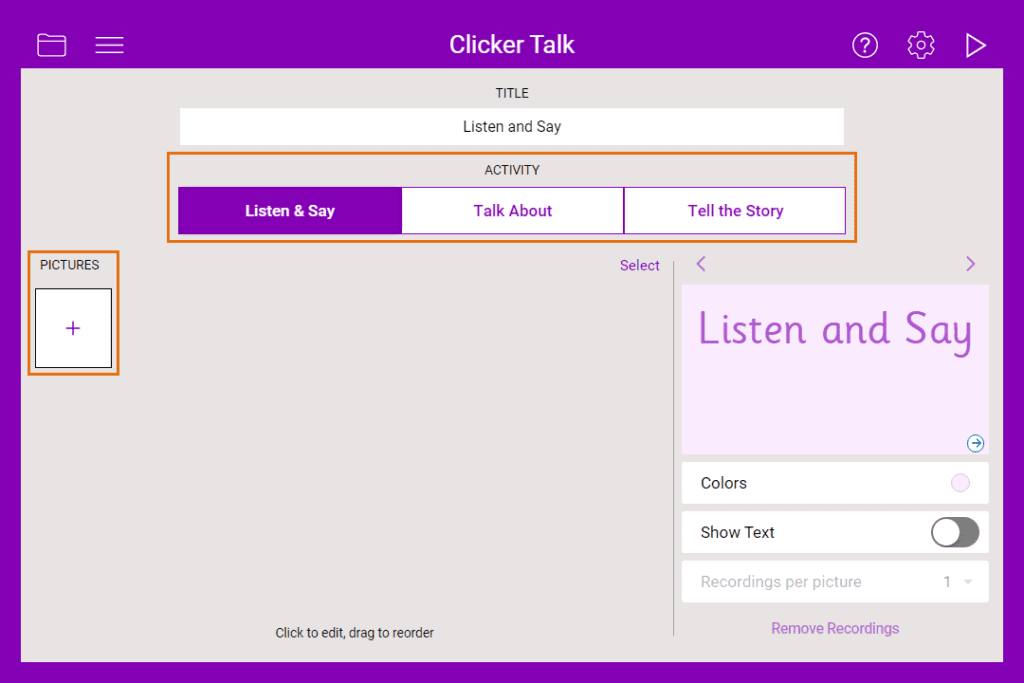

Edit a Talk Set
Edit a Talk Set to provide support or challenge for learners:
- Open the toolbar. Select to enter Edit View.
- Use the Show Text toggle to add the name of the picture to the activity.
- Choose from the Recordings per picture drop-down box to change the number of recordings you can make for each picture.
- Choose a colour from the Colours options to change the colour of the pages.
- Choose from the options to change the type of activity: Listen & Say, Talk About, or Tell the Story.
 to enter Edit View.